
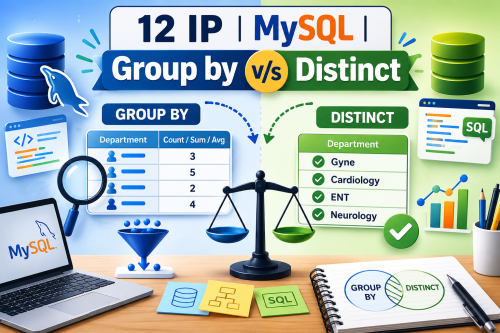
One of the most common mistakes I have noticed among Class XII Informatics Practices students is the confusion between the DISTINCT clause and the GROUP BY clause. Many students know the syntax but struggle to decide which clause should be used in a given question.
This confusion often leads to incorrect answers in school examinations and even in the CBSE Board Examination.
This article explains the difference in the simplest possible way with examples, common mistakes, and an easy decision-making technique that every student can follow.
⭐ The Golden Rule
Before writing any SQL query, ask yourself one simple question:
“Am I only displaying unique values, or am I calculating something for each group?”
Your answer will immediately tell you whether to use DISTINCT or GROUP BY.
What is DISTINCT?
The DISTINCT clause is used to remove duplicate values from the result.
It does not perform any calculation.
Think of DISTINCT as saying:
“Show each value only once.”
Example 1: Display All Departments
Suppose the doctor table contains the following values:
| Department |
|---|
| Gyne |
| Gyne |
| Cardiology |
| Cardiology |
| ENT |
| Neurology |
Notice that some department names appear more than once.
Required Output
| Department |
| Gyne |
| Cardiology |
| ENT |
| Neurology |
SQL Query
SELECT DISTINCT dept
FROM doctor;
Example 2: Display All Fuel Types Available
SELECT DISTINCT fueltype
FROM inventory;
Output
- Petrol
- CNG
Remember
The DISTINCT clause:
- Removes duplicate values.
- Displays each value only once.
- Does not count, add, average, or group any records.
What is GROUP BY?
The GROUP BY clause is used when you need to perform calculations for each category or group.
It is commonly used with aggregate functions such as:
- COUNT()
- SUM()
- AVG()
- MAX()
- MIN()
Think of GROUP BY as saying:
“First make groups, then perform the calculation.”
Words That Usually Indicate GROUP BY
Whenever you see words such as:
- each
- every
- group
- department-wise
- class-wise
- city-wise
- subject-wise
- category-wise
- for every
- in each
- according to
your first thought should be:
“This probably requires GROUP BY.”
Example 1: Display the Number of Doctors in Each Department
The phrase “each department” tells us that doctors must first be separated into departments and then counted.
SQL Query
SELECT dept,
COUNT(*)
FROM doctor
GROUP BY dept;
Example 2: Display Department-wise Total Experience
Here, the question asks us to calculate the total experience for every department.
SQL Query
SELECT dept,
SUM(exp)
FROM doctor
GROUP BY dept;
Example 3: Display Average Consultation Fee for Each Department
SELECT dept,
AVG(constfee)
FROM doctor
GROUP BY dept;
DISTINCT vs GROUP BY
DISTINCT
Think:
“Remove duplicate values.”
Example
SELECT DISTINCT dept
FROM doctor;
Result
- Gyne
- Cardiology
- ENT
- Neurology
No calculation is performed.
GROUP BY
Think:
“Create groups first, then calculate.”
Example
SELECT dept,
COUNT(*)
FROM doctor
GROUP BY dept;
Result
| Department | Number of Doctors |
| Gyne | 3 |
| Cardiology | 3 |
| ENT | 2 |
| Neurology | 2 |
Here, SQL groups the records by department and then counts the doctors in each group.
An Easy Trick to Remember
If the question contains an aggregate function
- COUNT()
- SUM()
- AVG()
- MIN()
- MAX()
➡ You will usually need GROUP BY (unless the calculation is for the entire table).
If there is no calculation
and you only want unique values,
➡ Use DISTINCT.
Compare These Questions
Question 1
Display all departments.
No calculation is required.
SELECT DISTINCT dept
FROM doctor;
Question 2
Display the number of doctors in each department.
Calculation + “each department”
SELECT dept,
COUNT(*)
FROM doctor
GROUP BY dept;
Question 3
Display department-wise total consultation fee.
Calculation + “department-wise”
SELECT dept,
SUM(constfee)
FROM doctor
GROUP BY dept;
Question 4
Display distinct cities.
Only unique values are required.
SELECT DISTINCT city
FROM customer;
A Simple Decision Tree
Read the Question
        │
        ▼
Is there an aggregate function?
(COUNT, SUM, AVG, MIN, MAX)
        │
   Yes ─────► GROUP BY
        │
        No
        │
        ▼
Do you only need unique values?
        │
   Yes ─────► DISTINCT
        │
        No
        │
        ▼
Simple SELECT query
Common Mistakes Made by Students
❌ Mistake 1
SELECT DISTINCT dept,
COUNT(*)
FROM doctor;
Why is it wrong?
COUNT(*) calculates values for every department.
DISTINCT cannot replace GROUP BY.
❌ Mistake 2
SELECT dept,
SUM(exp)
FROM doctor;
Why is it wrong?
You are asking SQL to calculate the total experience, but you have not told SQL how to group the records.
Correct Query
SELECT dept,
SUM(exp)
FROM doctor
GROUP BY dept;
❌ Mistake 3
SELECT GROUP BY dept;Why is it wrong?
GROUP BY is not a command.
It is a clause that is written after the FROM clause and is generally used with aggregate functions.
Quick Exam Tip
Use DISTINCT when you need:
- Distinct cities
- Distinct departments
- Distinct payment modes
- Distinct fuel types
No calculation is involved.
Use GROUP BY when you need:
- Number of students in each class
- Department-wise total salary
- City-wise average income
- Class-wise highest marks
- Product-wise total sales
A calculation is performed for every category.
Memory Formula
DISTINCT = Different values only
GROUP BY = Group first, then Calculate